







What is UltraCompare?
Powerful file, folder, PDF, Word, and Excel compare. Folder sync, binary/hex compare. Download a free, full-feature trial to see why. Available for Windows, Mac, and Linux.
UltraCompare for Win
UltraCompare for Mac
UltraCompare for Linux
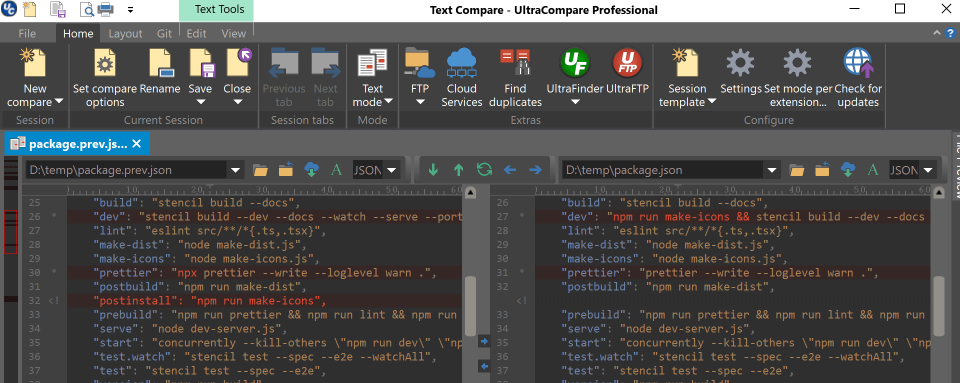
UltraCompare rapidly compares 2 or 3 files from multiple locations at once, and merge conflicts and differences visually. Quickly launch a compare by drag-and-drop into the application, from the File Explorer context menu, or even via the command line.
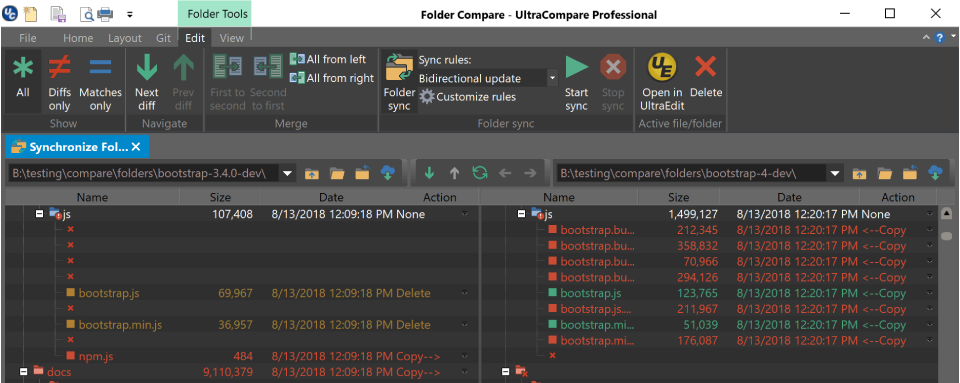
Easily compare entire folders with UltraCompare, even over FTP and network shares. Keep folders in sync, and merge with ease. Folder compare delivers unparalleled control over any file system.
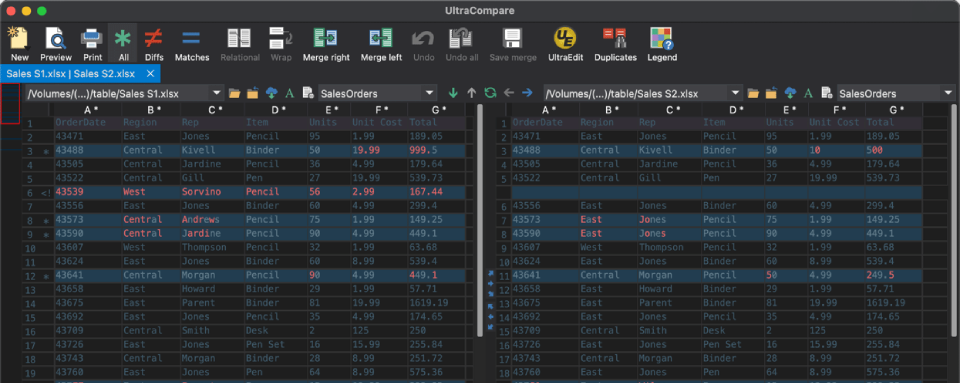
View differences in Excel, CSV, and other tabulated data. Also includes the ability to merge different cells, rows, or columns. You can also compare multiple sheets within Excel files.
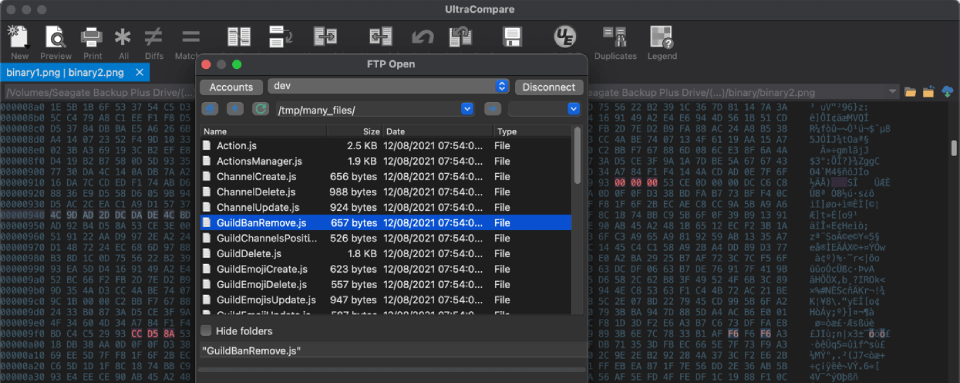
UltraCompare can perform its powerful file comparison, merging and sync functions over your FTP connections, as well as network shares.
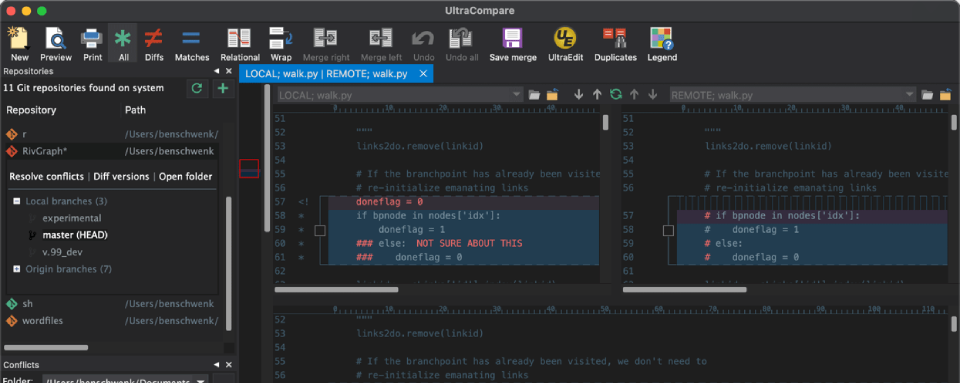
From browsing repositories, to resolving conflicts, to comparing versions and branches, UltraComapre is the ultimate diff / review utility for Git. With its set-and-forget difftool and mergetool support, UltraCompare is the ultimate Git compare app.
Powerful 2 or 3-way text compare/merge
Folder compare,
merge and sync
Table & Excel
Compare
UltraEdit
integration
Git
integration
What can you use UltraCompare for

Compare Files

Compare Folders

Merge Files

Compare Remote files

Sync Files
What’s new in UltraCompare?
UC 2023.1 introduces merge into new file, a new compare algorithm, and the integrated PowerShell instance.
Every UltraCompare license comes with

Large file handling capability. UC is built to compare large files that would cause other diff tools issues.

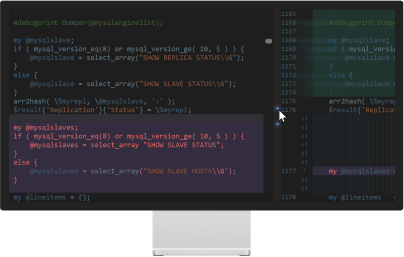
UltraCompare looks great on Retina and other ultra high-definition displays.
You get the Windows, Mac, and Linux versions of UltraEdit and UltraCompare.

Your personal license is good for up to 3 machines on any combination of platforms.
UltraCompare Highlighted Features
Themes
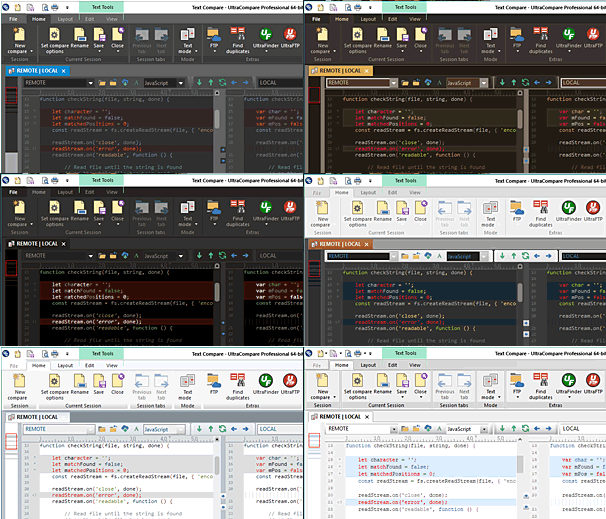
Whether you prefer a darker or lighter color scheme, UltraCompare’s interface is completely themeable and comes with several default themes.
Submit your themes for community use by emailing support.
Compare over FTP
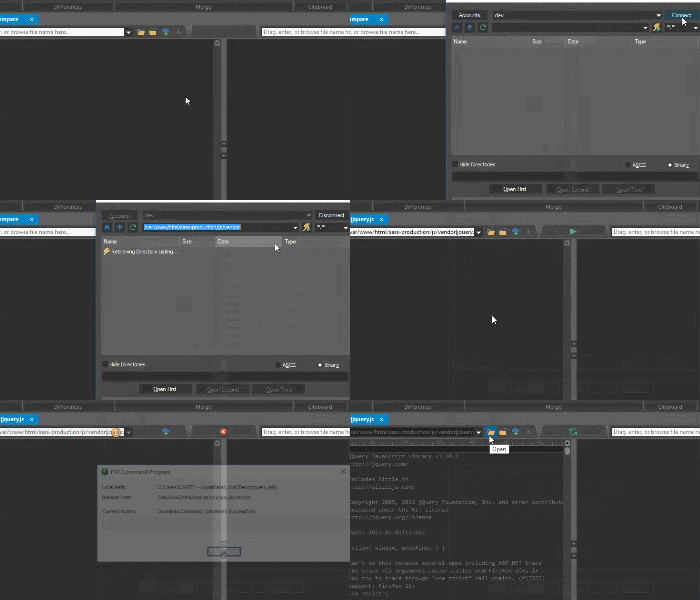
UltraCompare’s powerful compare functions work just as well over FTP, and even network shares and connected drives. Simply click to open from FTP, choose your connection or create a new one to save for future use. It’s perfect for quickly checking local files and folders against what’s already on the server.
Word/Excel/PDF Compare
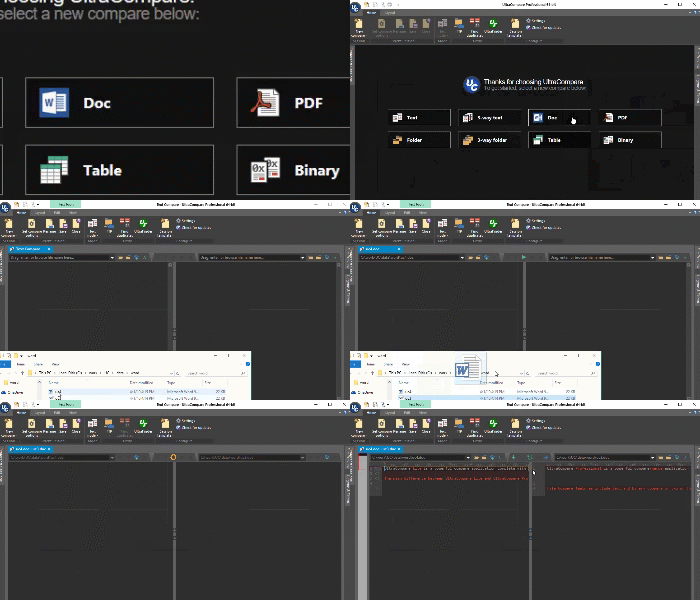
UltraCompare’s special document handling makes it easy to compare Word, Excel, and PDF files. Just open these in a compare session as you would any other file.
Zip/Rar/Jar compare
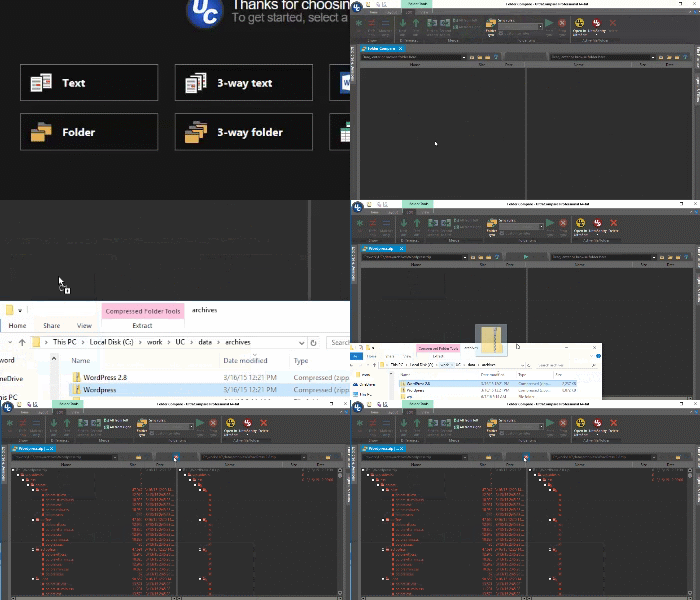
Quickly compare the contents of a file archive without extracting it for a normal file or folder compare. With UltraCompare, you can directly compare .zip, .rar and .jar files. No setup required.
Other features
- Compare 2 or 3 files or folders at a time
- Merge differences
- Filter view to show just matches or differences
- Highlight diffs by character, word, or line
- Ignore whitespace, line endings, case
- Ignore lines starting with, ending with, everything between…
- Manually align compare
- Edit files as you compare them
- Paste and compare text snippets
- Preview HTML files in browser
- Scan and navigate differences with mini-map
- Save compare result as HTML or text
- Print compare result
- Compare source with full syntax highlighting
- Compare files from the Internet via URL
- Compare files and folders from FTP/SFTP
- Compare Word Docs (.doc/.docx), PDFs, and RTFs
- Rule-based automated folder sync
- Find and resolve duplicate files
- Save and reload most used comparisons with sessions
- Drag-and-drop folders and files to compare them
- Native command line support
- Integrate with Git, Subversion, CVS, more
- Change application and compare colors with themes
- Show compare vertically or horizontally
- Save difference and result reports